OpenType features: ligatures, small caps, numerals and how to turn them on
5 min read · Updated August 2026
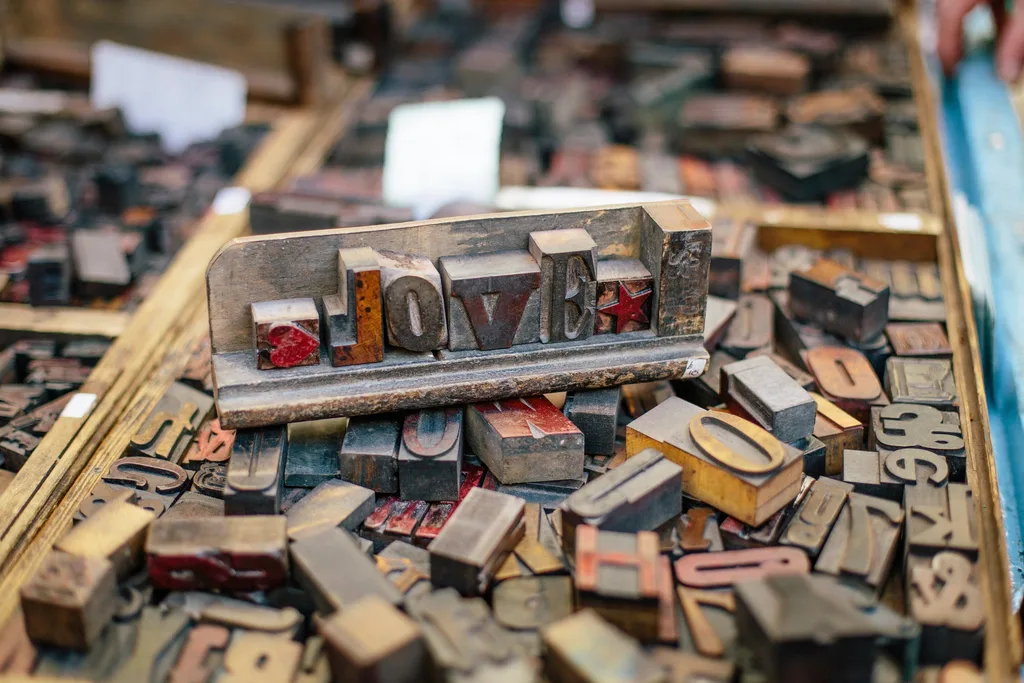
A well-made text font contains more glyphs than it has characters, and the extra ones are not decoration. They are alternates the font will substitute automatically when the right rule fires: an fi ligature so the f's hood does not collide with the dot of the i, small capitals that are drawn rather than shrunk, figures that line up in a table. All of this lives in two layout tables, GSUB and GPOS, addressed by four-letter tags. Knowing a dozen of those tags, and knowing which CSS property reaches them, is most of what typographic control on the web amounts to.
GSUB substitutes, GPOS moves
GSUB — the glyph substitution table — holds rules that swap one or more glyphs for one or more others. One glyph for one glyph gives you small capitals and oldstyle figures; several for one gives you ligatures; one for several gives you decomposition. GPOS — glyph positioning — never changes which glyph is drawn, only where: kerning pairs, mark attachment for accents, optical bounds, cursive connection in Arabic.
Rules are grouped into features and features are scoped to a script and a language, which is why a Serbian reader can get a different italic б from a Russian one out of the same file — that is the locl feature doing its job. FontPeeker's Features tab lists the tags each table registers, separated by table, so you can see at a glance whether a font has real kerning (a kern feature in GPOS) or nothing at all.
Ligatures: liga, clig, dlig, hlig, rlig
liga holds the standard ligatures — fi, fl, ffi, ffl and their relatives — and browsers apply it by default. clig holds contextual ligatures, which fire only in certain neighbourhoods, and is also on by default. rlig holds required ligatures, without which a script such as Arabic is simply wrong, and cannot sensibly be switched off.
dlig is the discretionary set: st, ct, Th, the flourished pairs a designer drew for display sizes. It is off by default and should stay off in body text. hlig is the historical set — the long s and its ligatures — and belongs in facsimiles, not in a UI.
The one case for turning liga off is a monospaced coding face with programming ligatures, where => and !== are drawn as single glyphs. Some people love them and some find them unreadable; font-variant-ligatures: none is the switch.
Small capitals are drawn, not scaled
smcp substitutes lower-case letters with small capitals; c2sc does the same for capitals, which is what you need when the source text is already upper-case. Real small caps are drawn with the stroke weight of the lower case and a slightly wider fit, so they sit evenly in a line of text. A browser asked for small caps in a font that has none will scale the capitals down instead, producing letters that are visibly too light and too tight.
Check before you specify: if the Features tab shows no smcp, font-variant-caps: small-caps will give you the synthetic version. Cyrillic small caps are rarer still — many families that ship smcp for Latin have no Cyrillic small caps at all, and the result is a line that switches silently between drawn and faked letters.
Four kinds of figure, and when each belongs
Figures vary along two independent axes. Height: lining figures (lnum) are cap height and match upper-case text; oldstyle figures (onum) have ascenders and descenders and sit in running text the way lower-case letters do. Width: tabular figures (tnum) all share one advance width so columns align; proportional figures (pnum) are spaced individually so a date in a sentence does not look gappy.
The practical rule is simple. In a table, a price list or anything that updates in place — a clock, a counter — use tabular figures, otherwise the numbers jitter. In body prose use whatever the family's default is, usually proportional, and consider oldstyle for a serif setting. zero adds the slashed zero, which matters in code and in anything that might be read aloud over a phone; frac builds real fractions from the numerator and denominator glyphs instead of the 1/2 you typed.
Stylistic sets and character variants
ss01 to ss20 are stylistic sets: bundles of alternates the designer grouped and named — a single-storey a, a straight-legged R, a simplified Cyrillic д. cv01 to cv99 are character variants, each affecting one character rather than a group. salt offers all stylistic alternates at once and is mostly used by design applications rather than by CSS.
Nothing in the font tells you what ss03 does; the tag is opaque by design, and the name the designer gave it lives in the feature parameters, which most tools never show. The only way to know is to look. FontPeeker prints a before-and-after sample for the tags where a short string demonstrates the difference, which is usually enough to decide.
font-variant-* first, font-feature-settings last
CSS offers two ways in. The high-level font-variant-ligatures, font-variant-caps, font-variant-numeric and font-variant-position properties are keyword-based, they inherit and cascade normally, and each one manages a coherent group of tags. The low-level font-feature-settings takes raw tags and is the only way to reach a stylistic set or a custom feature.
The trap is that font-feature-settings does not merge. Set font-feature-settings: "tnum" 1 on a table cell and then font-feature-settings: "ss01" 1 on a span inside it, and the span loses tabular figures — the second declaration replaces the first wholesale rather than adding to it. The specification itself recommends the font-variant properties for everything they cover and reserves font-feature-settings for the rest.
FontPeeker's CSS tab writes both: the raw font-feature-settings line that matches the switches you flipped, and, underneath, the font-variant equivalents for the tags that have one. Use the second list where you can.
The takeaway
Features are rules inside the font, not effects you apply to it: if the tag is not registered in GSUB or GPOS, no CSS will conjure it, and the browser will fake it badly instead. Check which tags a file carries, prefer the font-variant properties because they cascade, and keep font-feature-settings for stylistic sets and custom tags — remembering that it replaces rather than merges.
Open a font file and read what is inside it
More guides
Variable fonts explained: axes, instances and why one file replaces twelve
6 min read · Updated June 2026What the fvar table actually stores, what the five registered axes mean, how named instances relate to a font menu, and when shipping a variable font is the wrong call.
Font licensing for the web: OFL, desktop vs webfont licences and what you may embed
6 min read · Updated May 2026Why a desktop licence does not cover a website, what the OFL actually requires, how pageview tiers work, and what the fsType bits in a font file are telling you.